
Key Takeaways
This blog post highlights the increasing trend of organizations seeking alternatives to WalkMe, a prominent digital adoption platform. As adoption programs evolve, teams often question WalkMe's complexity, cost, and the need for extensive IT involvement. Key issues include the slow time-to-value, high costs associated with licensing and support, and the lack of flexibility in guidance tools. The guide reviews various WalkMe competitors, categorizing them based on specific use cases and organizational needs. It emphasizes the importance of selecting tools that align with rollout speed, ease of use, and practical scalability, particularly for organizations looking to enhance user adoption without overwhelming their teams.
Action Items
- Evaluate your organization's specific adoption goals and team structure.
- Consider alternatives that allow for faster deployment and simpler ownership, like ClickLearn, Whatfix, or Userlane.
- Prioritize tools that support a combination of training, documentation, and in-app guidance.
- Shortlist and compare a few WalkMe alternatives to identify the best fit for your needs.
- Explore practical demonstrations of shortlisted tools to understand their functionality.
This is the moment when teams start searching for WalkMe alternatives.
WalkMe is a well-known digital adoption platform, especially in large enterprises with complex systems. It is often used to guide users through applications using in-app walkthroughs and prompts. For some organizations, that approach works. For many others, it introduces new challenges around setup effort, pricing, and ongoing maintenance.
As adoption programs mature, product leaders and IT teams begin to ask practical questions. Do we need this level of complexity? Can we roll out guidance faster? Is there a better way to support training and documentation alongside in-app help?
Those questions are driving interest in the best WalkMe alternatives 2026. Teams want tools that match their adoption goals without slowing them down.
This guide reviews leading WalkMe competitors, compares where they fit best, and helps you choose the right option based on real business needs.
Why Consider Alternatives to WalkMe
WalkMe is often positioned as the default choice for large-scale digital adoption. In practice, many teams start questioning that choice once the rollout begins.
One common issue is time-to-value. WalkMe implementations usually require detailed planning, technical involvement, and ongoing configuration. For teams under pressure to show quick adoption wins, this pace can feel slow.
Cost is another factor. Licensing, implementation, and support costs add up fast, especially as user counts grow. This is why buyers frequently compare WalkMe competitors that offer simpler pricing and fewer hidden dependencies.
There is also a fit problem. Not every organization needs deep customization or highly layered in-app experiences. Some teams want straightforward guidance, faster content creation, and stronger support for training and documentation, not just on-screen prompts.
As digital adoption programs mature, leaders start asking practical questions:
- Can we deploy guidance without heavy IT involvement?
- Can business teams own adoption content?
- Can we support onboarding, training, and change at scale?
These questions are what push organizations to evaluate WalkMe alternatives that better match their structure, budget, and adoption goals.
What to Look for in a Digital Adoption or Onboarding Tool
Once teams decide to evaluate WalkMe alternatives, the next challenge is knowing what actually matters. Many tools claim to solve adoption. Few align with how organizations really work.
Start with ownership. A good adoption tool should not depend on constant IT or engineering support. Business teams should be able to create, update, and manage guidance without long cycles or external help. This is where manyย digital adoption platformย alternatives differ in a meaningful way.
Next is the speed of deployment. Adoption problems surface fast, and solutions need to move just as quickly. Tools that take weeks or months to configure often delay impact. Look for platforms that let teams publish guidance and training content in days, not quarters.
Content flexibility also matters. In-app guidance alone is rarely enough. Effective adoption combines walkthroughs, training material, and documentation that users can revisit when needed. Platforms that support multiple learning formats tend to scale better across roles and regions.
Do not ignore measurement. Adoption tools should show what users complete, where they struggle, and which processes need improvement. Clear analytics help teams improve guidance instead of guessing.
Finally, evaluate pricing and scale. Many WalkMe competitors differ sharply in how costs grow with usage. Transparent pricing and predictable scale are often just as important as features when adoption expands across the organization.
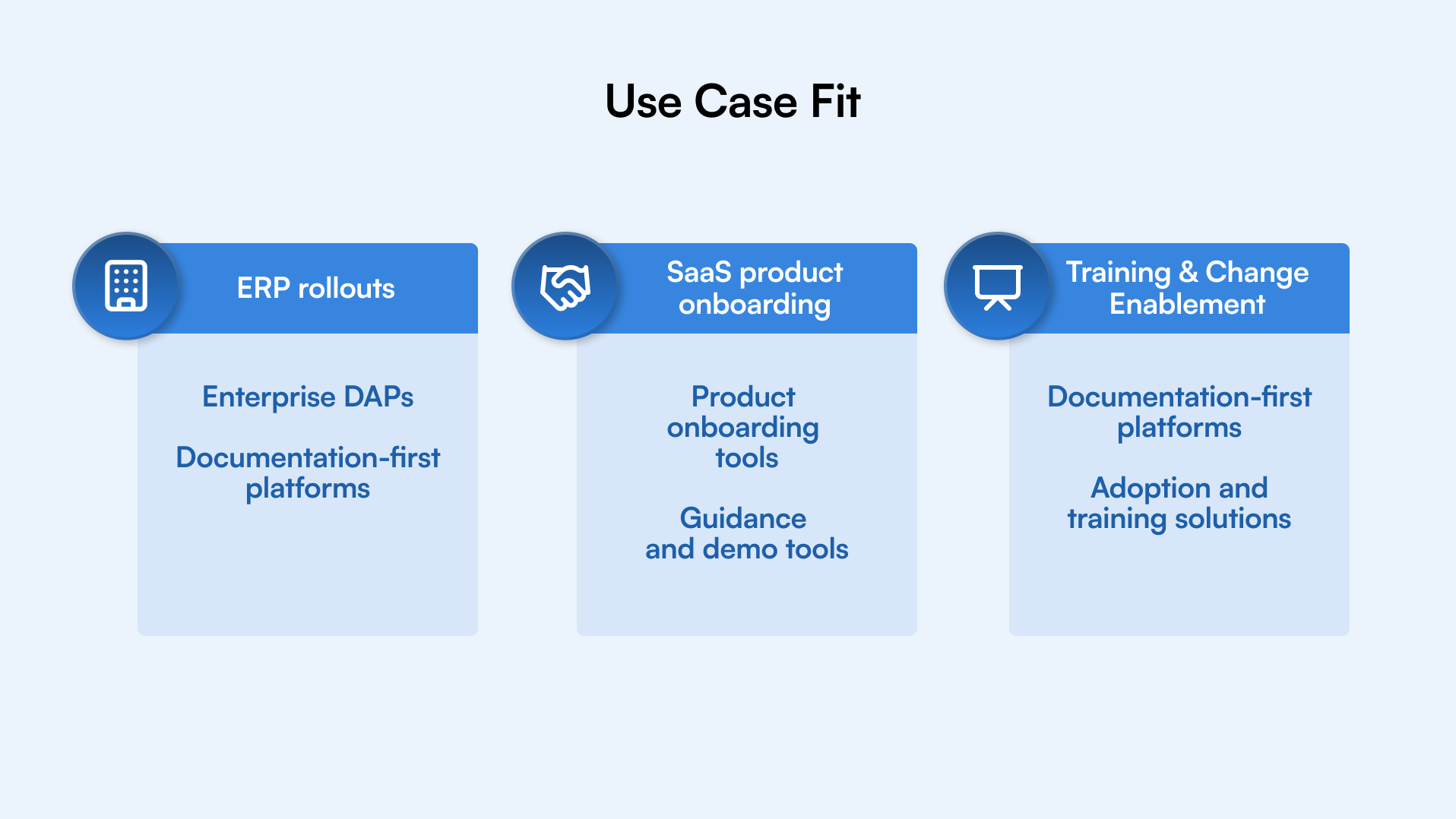
Not all WalkMe alternatives solve the same problem. Some focus on large enterprise rollouts. Others are built for product onboarding, analytics, or quick demos. Grouping tools by use case makes it easier to narrow the list without overthinking it.
Below are the most commonly evaluated WalkMe alternatives, organized by how teams actually use them and digital adoption platform use cases
Top WalkMe Alternatives, Categorized by Use Case
Not all WalkMe alternatives solve the same problem. Some focus on large enterprise rollouts. Others are built for product onboarding, analytics, or quick demos. Grouping tools by use case makes it easier to narrow the list without overthinking it.
Below are the most commonly evaluated WalkMe alternatives, organized by how teams actually use them and digital adoption platform use cases
Enterprise-Focused Digital Adoption Platforms
These tools are typically used for internal systems like ERP, CRM, HR, or finance platforms. They prioritize process guidance, control, and scale.
ClickLearn
ClickLearn takes a different approach to enterprise adoption. Instead of relying only on in-app prompts, it captures real user workflows and automatically converts them into training, documentation, and guided learning assets.
This approach works well for organizations that need adoption at scale but want to reduce their dependency on IT teams and accelerate the rollout of adoption content. It is especially useful when training, documentation, and process consistency matter as much as in-app guidance.
Best fit for enterprise software rollout where training and documentation are central to adoption success.
Whatfix
Whatfix is often compared directly with WalkMe in enterprise environments. It focuses on guided workflows, contextual help, and adoption analytics across complex applications.
It works well for large organizations that need structured guidance and detailed reporting. Setup and pricing can be a consideration for teams seeking faster deployment or more streamlined ownership models.
Best fit for large enterprises with dedicated adoption teams.
Userlane
Userlane focuses on employee onboarding and process enablement. It emphasizes step-by-step guidance for internal tools, with a strong focus on standardization.
Teams often choose Userlane when adoption is driven by internal change programs rather than product usage. It fits organizations that prefer a controlled rollout approach.
Best fit for structured enterprise training environments.
Apty
Apty is designed around enterprise process adoption, especially for ERP systems. It combines guidance with rule-based prompts and compliance checks.
This makes it useful for regulated industries or process-heavy environments. The tradeoff is a steeper learning curve compared to lighter WalkMe alternatives.
Best fit for ERP-driven organizations with compliance needs.
Product Onboarding and User Experience Tools
These tools are commonly used by SaaS product teams to drive feature adoption and reduce churn. They are less focused on internal enterprise training.
Userpilot
Userpilot is built for product-led onboarding. It helps SaaS teams create UI-based flows, tooltips, and onboarding experiences without code.
It is strong for customer-facing products but not designed for complex internal systems or enterprise training programs.
Best fit for SaaS onboarding and feature adoption.
Pendo
Pendo combines product analytics, user feedback, and onboarding tools. Many teams adopt it for insights first, with onboarding as a secondary layer.
It suits product teams that want deep usage data alongside guidance. Cost and complexity increase as usage scales.
Best fit for product analytics-driven organizations.
Appcues
Appcues focuses on fast setup and simple onboarding flows. Teams use it to guide users through new features or product updates.
It is easy to launch but limited when adoption extends beyond basic in-app guidance.
Best fit for quick product onboarding use cases.
Lightweight Demo and Documentation Tools
These tools are not full digital adoption platforms but are often considered during early-stage evaluations.
Other Tools Worth Considering
- Supademo focuses on interactive product demos and walkthroughs.
- Guided centers on video-based how-to content and quick documentation.
These tools work well for demos and micro-learning, but do not replace full digital adoption programs.
Top WalkMe Alternatives at a Glance
Tool
Category
Primary Use Case
Best For
Key Consideration
ClickLearn
Enterprise adoption and training platform
Automated documentation and in-app training for enterprise software
Organizations rolling out ERP, CRM, or large internal systems
Less focus on UI overlays, stronger focus on training and documentation
WalkMe
Enterprise DAP
In-app guidance for complex systems
Large enterprises with long rollout cycles
High cost and heavy implementation
Whatfix
Enterprise DAP
Guided workflows and analytics
Enterprises with dedicated adoption teams
Set up effort and pricing
Userlane
Enterprise DAP
Employee onboarding and enablement
Structured internal training programs
Less flexibility for rapid changes
Apty
Enterprise DAP
ERP and process adoption
Regulated and process-heavy orgs
Steeper learning curve
Userpilot
Product onboarding
Feature adoption in SaaS
Product-led growth teams
Not built for internal systems
Pendo
Product experience
Analytics with onboarding
Data-driven product teams
Cost increases at scale
Appcues
Product onboarding
UI-based onboarding flows
Fast-moving SaaS teams
Limited depth for enterprise training
Supademo
Demo tool
Interactive product demos
Sales and marketing teams
Not a full adoption platform
Guidde
Documentation tool
Video-based how-to content
Training and enablement teams
No in-app guidance layer
Feature and Pricing Comparison Table
Once teams shortlist WalkMe alternatives, the next question is simple. How do these tools actually compare when you look past marketing pages?
The table below focuses on the areas buyers care about most: guidance depth, content creation, analytics, and how pricing scales over time. This is not about feature checklists. It is about practical fit.
Feature and Pricing Comparison
Tool
In-App Guidance
Documentation and Training
Analytics and Insights
Setup Model
Pricing Approach
Best Fit
ClickLearn
AI-powered guidance & contextual learning through recorded workflows
Strong documentation and training automation
Usage and adoption insights
Low effort
Enterprise pricing, predictable scale
Enterprise software rollouts and training-led adoption
WalkMe
Advanced, highly configurable
Limited native documentation
Deep enterprise analytics
High effort
Enterprise licensing, higher cost
Large enterprises
Whatfix
Strong guided workflows
Supports knowledge content
Detailed adoption analytics
High effort
Enterprise tiered pricing
Enterprise adoption teams
Userlane
Step-by-step process guidance
Limited documentation focus
Basic to moderate analytics
Moderate effort
Enterprise contracts
Internal employee training
Apty
Rule-based and process-driven
Limited training formats
Strong process analytics
High effort
Enterprise pricing
ERP and regulated orgs
Userpilot
UI-based onboarding flows
Minimal training support
Product usage analytics
Low effort
MAU-based pricing
SaaS onboarding
Pendo
Basic guidance with insights
No native documentation
Advanced product analytics
Moderate effort
Usage-based pricing
Analytics-first teams
Appcues
Simple in-app flows
No documentation layer
Basic engagement metrics
Low effort
Tiered SaaS pricing
Fast product onboarding
Supademo
Interactive demos only
Demo-focused content
No adoption analytics
Low effort
Subscription pricing
Sales and demos
Guidde
No in-app guidance
Video documentation focus
Limited usage tracking
Low effort
Per-seat pricing
Training teams
What this table tells you
Most WalkMe competitors fall into one of three buckets.
- Enterprise platforms focus on control and depth but require time and budget.
- Product onboarding tools optimize for speed and ease but lack training scale.
- Documentation tools solve learning gaps but do not drive in-app behavior.
This is why pricing alone should never be the deciding factor. Setup effort, ownership, and long-term adoption goals matter just as much.
How to Decide - Use Cases and Business Needs
Once you shortlist a few WalkMe alternatives, the decision becomes clearer when you look at how your organization actually rolls out software.
Enterprise system rollouts
For ERP, CRM, or HR platforms, prioritize tools that support structured processes, role-based guidance, and governance. Enterprise digital adoption platform alternatives fit well here, but they usually require more planning and ownership.
SaaS product onboarding
Product teams often need speed and flexibility. Tools that allow quick launch of onboarding flows and easy iteration work better than heavy enterprise platforms.
Frequent system or process changes
If updates are regular, choose a platform where adoption content can be edited and published quickly. Complex setups slow teams down over time.
Limited IT or engineering bandwidth
Teams without dedicated technical support should avoid tools that rely heavily on scripts, integrations, or professional services.
Training and knowledge retention focus
When adoption is more about learning than prompts, platforms that combine guidance with documentation and training content deliver stronger results.
The right choice is not about the most features. It is about alignment with rollout speed, team ownership, and long-term adoption goals.
Why Consider ClickLearn as an Alternative
Many teams move away from WalkMe alternatives not because they lack features, but because adoption becomes too heavy to manage over time. This is where ClickLearn, as a digital adoption platform with its features, fits differently.
ClickLearn is built for organizations that want adoption to move at the same pace as their software rollout. Instead of relying only on in-app prompts, it focuses on capturing real workflows and turning them into usable training and guidance automatically.
Here is where ClickLearn stands out in practical terms:
Faster time-to-value
Teams can record real user actions and generate guides, videos, and walkthroughs without long setup cycles or scripting.
Lower dependency on IT teams
Business and enablement teams can own adoption content directly, without waiting on technical resources.
Stronger documentation and training coverage
Adoption does not stop at in-app guidance. Users get reusable training material they can revisit anytime.
Designed for enterprise rollouts
Works well for ERP, CRM, and large application deployments where consistency and scale matter.
Simpler ownership model
Updates are easier to manage as systems and processes change.
For organizations comparing WalkMe competitors based on effort, speed, and long-term sustainability, ClickLearn offers a practical alternative that balances guidance, training, and scale.
Explore how ClickLearn works โย Book a demo.
Summary and Next Steps
Choosing between WalkMe alternatives comes down to one simple question. How quickly can your organization turn software rollouts into real user adoption?
WalkMe continues to work for large enterprises that need deep customization and have the resources to support complex implementations. At the same time, many teams are actively evaluating WalkMe competitors that offer faster deployment, simpler ownership, and clearer pricing.
Some platforms focus on enterprise control. Others prioritize product onboarding or analytics. A growing number of teams now look for adoption solutions that also support training and documentation, not just in-app prompts.
The best WalkMe alternatives 2026 are not defined by feature lists alone. They are defined by how well they match your rollout speed, team structure, and long-term adoption goals.
If your priority is driving adoption without slowing down delivery, it is worth exploring tools built for practical scale.
FAQ
In many cases, yes. Several WalkMe alternatives and competitors offer simpler pricing models and lower setup effort. The total cost depends on user volume, implementation complexity, and ongoing maintenance, not just the license fee.
WalkMe is most commonly used by large enterprises with complex systems and dedicated adoption teams. Mid-sized companies and fast-moving teams often explore digital adoption platform alternatives that are easier to deploy and manage.
Product onboarding tools and documentation-first platforms usually have the fastest setup. Enterprise-focused WalkMe competitors may take longer due to configuration, governance, and rollout planning.
Some WalkMe alternatives focus mainly on in-app guidance, while others support documentation and training content. If long-term learning and repeat usage matter, this capability should be evaluated early.
Start with your rollout goals. Consider team size, IT involvement, update frequency, and whether adoption is driven by onboarding, training, or compliance. The best WalkMe alternatives 2026 are the ones that align with how your organization actually works.
Yes. Shortlisting two or three tools and comparing WalkMe vs ClickLearn scenarios helps clarify differences in setup effort, ownership, and long-term adoption impact before making a final decision.