


Key Takeaways
Digital Adoption Platforms (DAPs) are essential tools that facilitate user learning and task completion directly within software applications. By integrating in-app guidance, training content, and usage analytics, these platforms enable organizations to enhance software adoption and productivity, ultimately leading to better returns on technology investments. Businesses often encounter challenges with user adoption due to changing interfaces and insufficient on-the-job support; DAPs address these issues by providing immediate assistance and tailored training content that evolves with software updates. Key features of effective DAPs include process documentation, multi-format learning support, centralized training access, and real-time user analytics.
Action Items
- Assess your organization’s software complexity and user training needs before selecting a DAP.
- Look for platforms that offer automatic content updates to keep training materials relevant.
- Ensure the DAP supports diverse learning styles with multiple formats like videos and walkthroughs.
- Choose a solution that provides real-time guidance and analytics to track user progress and areas of struggle.
- Consider how the DAP can integrate with your existing software stack for a seamless user experience.
What Is a Digital Adoption Platform (DAP)?
A digital adoption platform helps users learn and complete tasks inside the software they already use. Instead of relying on separate training sessions or manuals, guidance appears directly within the application, and at the moment, help is needed.
Digital adoption platform solutions bring together in-app guidance, training content, and usage insights in a single system. They sit on top of enterprise and cloud applications and support users through real workflows. By making learning part of daily work, these platforms help teams adopt new tools faster, reduce errors, and stay productive as software changes.
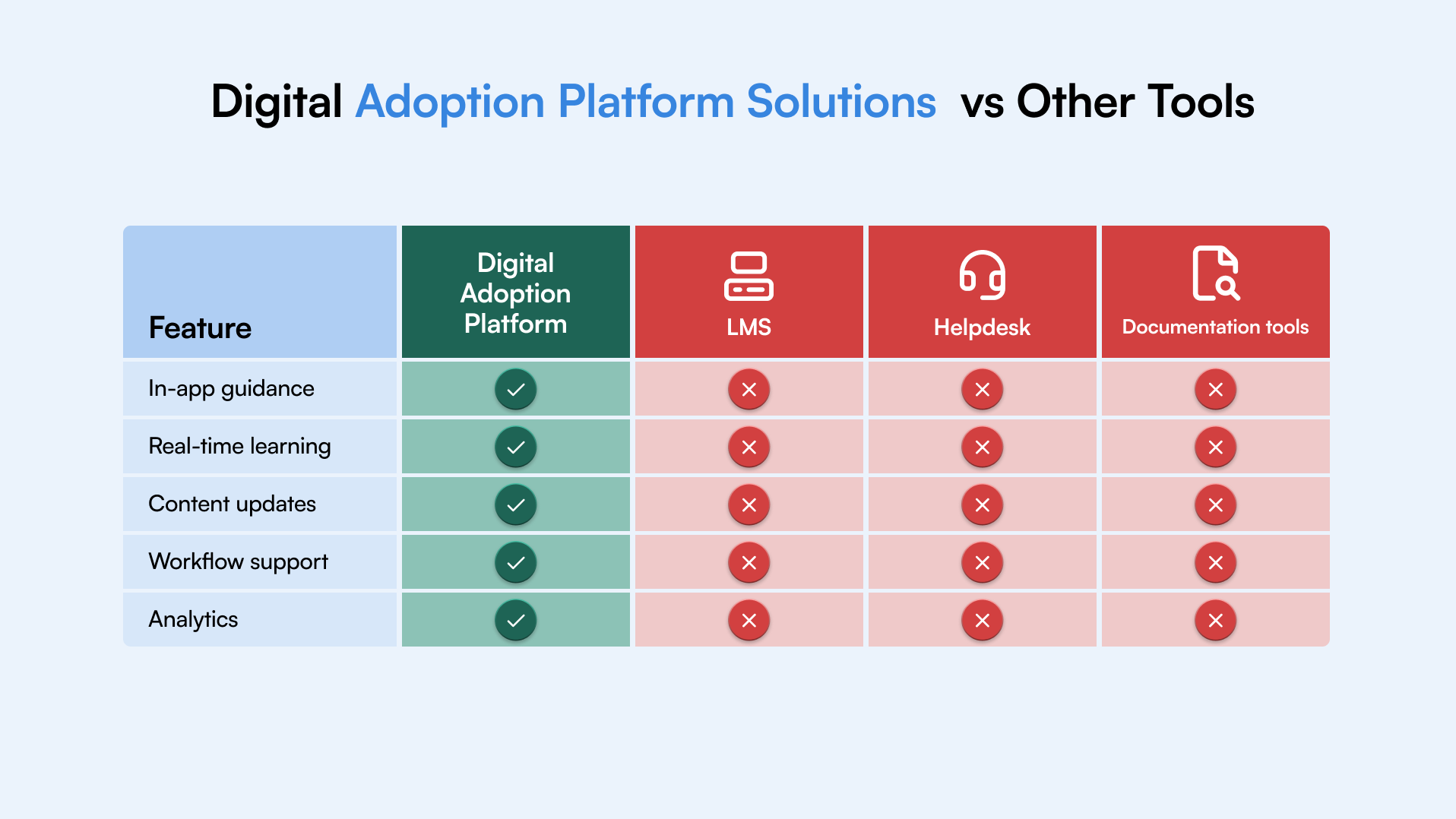
Why Businesses Use Product Adoption Software
Most organizations roll out new software with good intent, but adoption often stalls once the tool goes live. Users struggle with changing interfaces, unclear workflows, and lack of on-the-job guidance. Training sessions help for a short time, but they rarely support daily work.
This is where product adoption software becomes useful. It helps users complete tasks inside the application; at the moment, they need help. For businesses, this leads to clear operational benefits:
- Faster onboarding for new hires and new software
- Fewer mistakes in critical workflows
- Reduced dependency on IT and support teams
- Better usage of existing software features
- Stronger return on software and training investments
Key Features of Digital Adoption Solutions
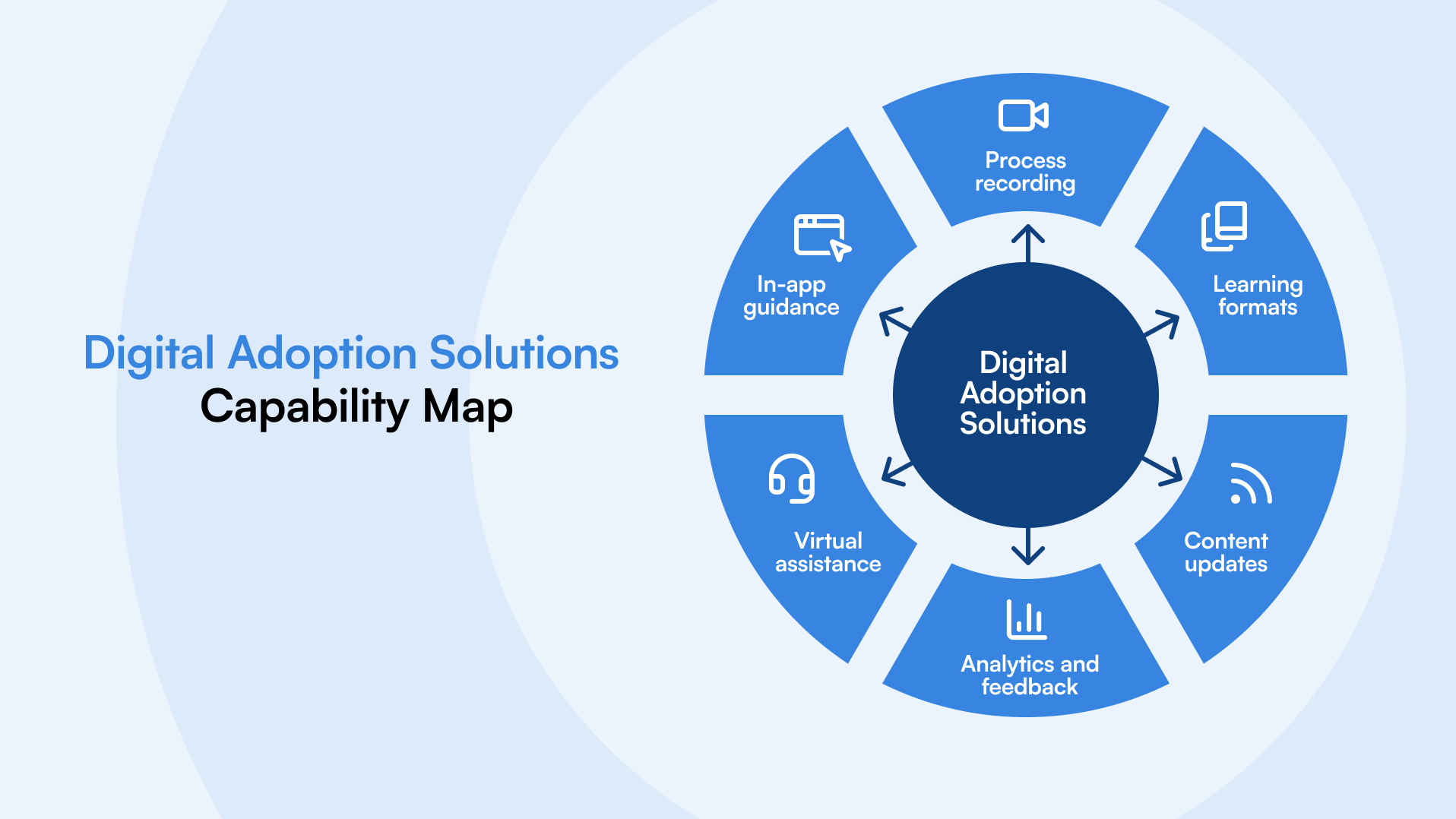
Strong digital adoption solutions go beyond simple walkthroughs. They help organizations create, maintain, and scale learning across fast-changing software environments.
The most effective digital adoption platforms typically include:
Process recording and documentation
Capture real workflows and turn them into clear training content and task guidance, without manual effort.
Multiple learning formats
Support different learning styles through guided walkthroughs, videos, simulations, and written instructions.
Centralized learning portals
Give users a single place to access training materials anytime, making onboarding and ongoing learning easier to manage.
Cross-platform support
Enable consistent guidance across cloud, desktop, and enterprise applications used across teams.
Automatic content updates
Keep guidance aligned with software changes so users always see current steps, not outdated instructions.
Learning analytics and feedback
Track where users struggle, measure progress, and improve training based on real usage data.
On-screen assistance and virtual help
Offer real-time guidance during task execution, helping users complete work with confidence.
Multi-language support
Ensure global teams can learn and work in their preferred language without friction.
Top Digital Adoption Platforms for Cloud and Enterprise Software
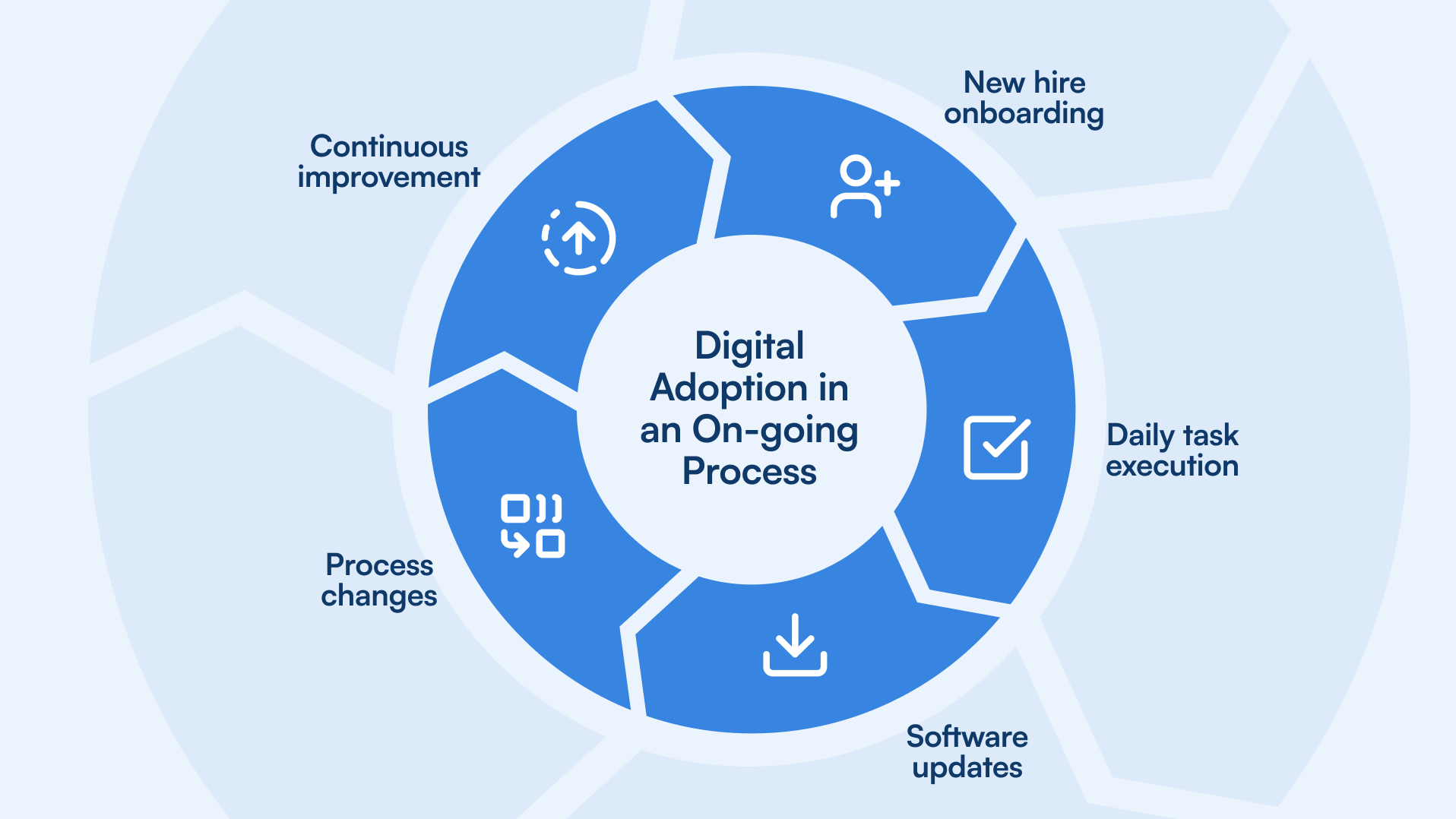
Most organizations today rely on a mix of cloud tools and large enterprise systems. CRM, ERP, HR, finance, and custom applications all evolve frequently, making it harder to maintain consistent user adoption. Digital adoption platforms help bridge this gap by providing guidance that works across complex software environments.
While digital adoption solutions vary in approach, the strongest platforms share a common focus. They support high-change systems, scale across departments, and help users complete real tasks without slowing down daily operations. This makes them especially valuable for cloud rollouts, enterprise upgrades, and ongoing process changes.
Best Platforms for Cloud Services
Cloud applications update often and introduce new features without long notice. The best digital adoption platforms for cloud environments help teams adapt quickly by guiding users through new screens and workflows as changes roll out.
Best Platforms for Employee Training
For onboarding and ongoing learning, digital adoption platforms support employees by embedding guidance directly into the tools they use. This reduces reliance on classroom training and helps teams stay productive even as systems evolve
Step-by-step help directly inside your ERP system
Select your software below to see ClickLearn in action inside the system.
How to Choose the Right Digital Adoption Solution
Most teams do not fail at digital adoption because of the software. They struggle because the solution they choose does not match how their people actually work. Before shortlisting vendors, it helps to step back and look at your environment and goals.
When evaluating digital adoption solutions, consider these practical factors:
Software complexity
The more complex and frequently changing your systems are, the more important strong recording, updates, and guidance become.
User volume and roles
Different teams need different levels of guidance. Look for platforms that support role-based learning without duplicating effort.
Content ownership
Check who can create and maintain training. If updates depend on technical teams, content often falls behind.
Change frequency
If your software updates frequently, automatic content updates are crucial to prevent outdated guidance.
Measurement and visibility
Adoption improves when you can see where users struggle and adjust training based on real data.
Understanding the adoption curve in the context of digital adoption solutions
The adoption curve is a vital concept in the realm of digital adoption solutions. It visually represents the rate at which users adopt new technologies or innovations. The curve consists of several stages, including innovators, early adopters, early majority, late majority, and laggards. Each stage signifies a segment of users based on their readiness and speed to embrace new digital tools.
For businesses implementing digital adoption solutions, comprehending the nuances of the adoption curve is paramount. It provides a roadmap to strategize their training and onboarding initiatives. By recognizing where different user segments lie on the curve, businesses can customize their digital adoption strategies, accelerate onboarding, and get better ROI for their software investment. For instance:
- Innovators might be eager to explore advanced features of a digital adoption platform, such as in-depth recording capabilities or diverse learning formats.
- Early Adopters could benefit from comprehensive eLearning portals, ensuring they have access to a wealth of resources as they navigate new software.
- Early Majority users might require more guided assistance, making features like virtual assistants and on-screen guidance crucial.
- Late Majority and Laggards could benefit from multi-language support, ensuring they receive guidance in a familiar language, making the adoption process smoother.
By tailoring digital adoption solutions to cater to each segment’s unique needs, businesses can ensure a more seamless transition for their users, maximizing the potential of their digital tools and enhancing overall productivity.
ClickLearn Alternatives and Competitor Comparison
1. ClickLearn
ClickLearn is the leading digital adoption solution designed to cater to the diverse needs of businesses. The platform offers a range of features that streamline training and onboarding processes, ensuring consistent and effective technology adoption across various software applications.

Strengths
ClickLearn’s innovative recording technology makes process documentation fast and easy. By simply pressing “record” and clicking through work procedures within the software, businesses can effortlessly generate training content for employee training. This not only eliminates the tedious process of manual documentation writing but also ensures accuracy and consistency.
Multiple learning formats
Different users have different learning preferences. ClickLearn’s seven distinct learning formats cater to this diversity, ensuring every user finds learning content that works best for them. Whether it’s interactive videos for visual learners or the TryMe format for hands-on learners, ClickLearn ensures optimal knowledge retention for both new employees and power users, and everyone else in-between.
eLearning portal
The eLearning portal serves as a centralized hub for all training content. Accessible round-the-clock and optimized for all devices, it ensures users have the resources they need, whenever they need them. Features like full search capabilities mean users can quickly find relevant content, while built-in tracking allows managers to monitor progress.
Cross-platform recording
In an era where businesses often rely on multiple software solutions, ClickLearn’s cross-platform recording ensures training consistency across all platforms. Whether an organization uses Microsoft Dynamics for CRM, SAP for ERP, or Salesforce for sales, ClickLearn ensures users receive consistent training, reducing confusion and accelerating the technology adoption process.
Replay
Software updates and new features are frequently introduced to business software, and keeping training materials updated can be a daunting task. ClickLearn’s Replay feature addresses this by automatically updating content to reflect software changes. This proactive approach ensures users always have access to up-to-date information, minimizing errors that arise from outdated training materials.
Learning analytics
Beyond content creation, ClickLearn offers insights into training effectiveness. Learning analytics provide real-time feedback, allowing businesses to gauge the impact of their training initiatives. By understanding areas where users struggle and where they excel, businesses can continuously refine their training approach, ensuring continuous improvement.
Virtual assistant
Immediate assistance can drastically reduce user frustration and better support employees learning to use new technology. ClickLearn’s Virtual Assistant acts as an on-demand guide, offering real-time, on-screen support. This reduces the dependency on support teams and ensures users can overcome challenges without significant downtime.
Limitations
Pricing structure for SMBs
ClickLearn’s comprehensive features are tailored primarily for medium-sized to large corporations. As a result, its pricing structure might be more aligned with the budgets of these larger entities. While the platform delivers exceptional value, smaller businesses or startups might find it a bit challenging to fit within their budget constraints, making ClickLearn a more suitable choice for organizations with a broader financial scope.
2. Pendo
Pendo is a product experience platform designed to provide insights into user behavior and drive product adoption. It offers a suite of tools that allow businesses to capture user interactions, gather feedback, and deliver in-app guidance. By bridging the gap between product teams and users, Pendo aims to enhance the overall user experience and foster product engagement.

Strengths
User behavior tracking
Pendo’s user behavior tracking allows businesses to understand how users interact with their platforms. For example, a company launching a new feature can monitor how often it’s used, identify any points of confusion, and make necessary adjustments to improve user engagement.
Limitations
Limited recording capabilities
Without a comprehensive recording feature, businesses might struggle to create training materials. For instance, a company wanting to produce a tutorial for a new software update would need to rely on external tools or manual documentation, consuming more time and resources.
Restricted learning formats
When it comes to learning, there is no one size that fits all. If a platform only offers one or two training formats, it might not cater to all users. For example, visual learners might benefit from video tutorials, while others might prefer written guides or interactive simulations.
While Pendo offers valuable insights into user behavior, its limitations in training material creation and learning format diversity might pose challenges for some businesses looking for a complete digital adoption platform that supports digital transformation on an organizational level.
3. WalkMe
WalkMe is a digital adoption platform that assists users in navigating software applications. Through its real-time guidance and on-screen walkthroughs, WalkMe simplifies the user experience, making complex processes more accessible. It’s designed to help software adoption, reduce user errors, and streamline training processes.
Strengths
Real-time guidance
WalkMe’s step-by-step guidance and in-app training can be invaluable for users unfamiliar with a platform. For instance, a user tasked with generating a complex report for the first time can follow the guidance to complete the task efficiently, reducing the risk of errors.
Limitations
Inconsistent eLearning portal
An intuitive training hub is crucial for proper user adoption. If users find the eLearning portal cluttered or challenging to navigate, they might skip training altogether. This can lead to reduced software utilization and increased support requests.
Challenges with documentation updates
Keeping training material and documentation up-to-date is essential for employee productivity and successful business outcomes. If a platform undergoes frequent updates, but the training materials lag behind, users might be working with outdated information, leading to potential mistakes and inefficiencies.
WalkMe offers some valuable features, but for those seeking an intuitive eLearning portal and automatic content updates, there are better options available.
4. Whatfix
Whatfix is a performance support platform that focuses on enhancing user efficiency and productivity within software applications. With features like in-app guidance, task automation, and user analytics, Whatfix aims to simplify the digital experience, ensuring users can make the most out of their software tools.
Strengths
Dynamic in-app guidance
Interactive assistance can be a game-changer, especially for users who are new to a platform. For example, a user setting up a complex workflow can benefit from in-app guidance, ensuring each step is correctly configured.
Limitations
Basic analytics
In-depth analytics help companies take a data-driven approach to their software investments and digital adoption initiatives. Without detailed analytics, businesses might miss out on understanding user challenges, leading to missed opportunities for enhancing the user experience and the overall adoption of new technology.
Limited cross-platform support
In a multi-software environment, consistent training across all platforms is crucial. If a digital adoption solution doesn’t support all platforms, users might experience inconsistent training quality.
Whatfix offers interactive in-app guidance, but its analytics and cross-platform support limitations might concern some businesses.
materials lag behind, users might be working with outdated information, leading to potential mistakes and inefficiencies.
WalkMe offers some valuable features, but for those seeking an intuitive eLearning portal and automatic content updates, there are better options available.
5. Appcues
Appcues is a user onboarding solution that specializes in creating product tours, user flows, and in-app messages. Its primary goal is to help businesses guide their users to success, reducing the learning curve associated with new software. By offering intuitive walkthroughs and user-friendly prompts, Appcues seeks to improve user retention and product adoption rates.

Strengths
User-friendly walkthroughs
Intuitive onboarding can significantly improve user adoption rates. For instance, a user introduced to a platform through a clear and concise walkthrough is more likely to utilize the platform’s full capabilities.
Limitations
Lacks comprehensive virtual assistance
Immediate user support can reduce the need for external support requests. Without comprehensive virtual assistance, users might feel left on their own, especially when encountering challenges.
Limited customization
Tailoring onboarding experiences to specific user roles or departments can enhance the relevance of software training. If customization options are limited, some users might receive generic guidance that doesn’t cater to their specific needs.
Appcues is effective for basic onboarding, but its virtual assistance and customization limitations might pose challenges for broader digital adoption needs.
Final Thoughts: Selecting the Best Digital Adoption Platform
Software investments only pay off when people know how to use them with confidence. Training alone cannot keep up with frequent updates, new workflows, and growing teams. That is why the best digital adoption solutions focus on learning in the flow of work, not outside it.
When evaluating digital adoption platforms, look for solutions that scale with change, support real workflows, and reduce reliance on manual training. If your goal is consistent adoption across cloud and enterprise tools, choosing the right platform can turn software from a cost center into a long-term business asset.
Ready to see how this works in practice?
Try ClickLearn and explore how automated process capture and in-app guidance can support lasting digital adoption.