IFS Unleashed Recap: What's New and Why User Adoption Matters
IFS Unleashed 2026 delivered an exciting look at what’s next for IFS Cloud, with major announcements around Industrial AI, intelligent automation, and the future of connected operations. One of the biggest highlights was the launch of IFS Intelligence, introducing AI-powered digital workers that help teams turn operational insights into action. IFS also unveiled its Industrial AI Harness, designed to support secure, governed AI automation across business processes. IFS Unleashed also showcased impressive live demonstrations of robotics and physical AI to spark discussions around smarter manufacturing, predictive maintenance, and operational efficiency. Innovations like IFS Intelligence, IFS Cowork, IFS Loops, and IFS Runway bring new opportunities to automate repetitive tasks, streamline workflows, improve decision-making, and reduce operational costs.
For companies to truly see these benefits, they need to make sure employees understand the new capabilities and put them to use in their daily workflows. ClickLearn for IFS assists your team get up to speed faster with role-specific, in-app guidance, automatically generated training materials, and documentation that stay aligned with IFS Cloud updates. Without effective training and ongoing guidance, valuable features remain underused; manual processes continue, and the expected return on investment is slow and inefficient. Keeping employees up to speed with new IFS Cloud features shouldn’t mean spending countless hours creating training materials, updating screenshots, or answering the same support questions.
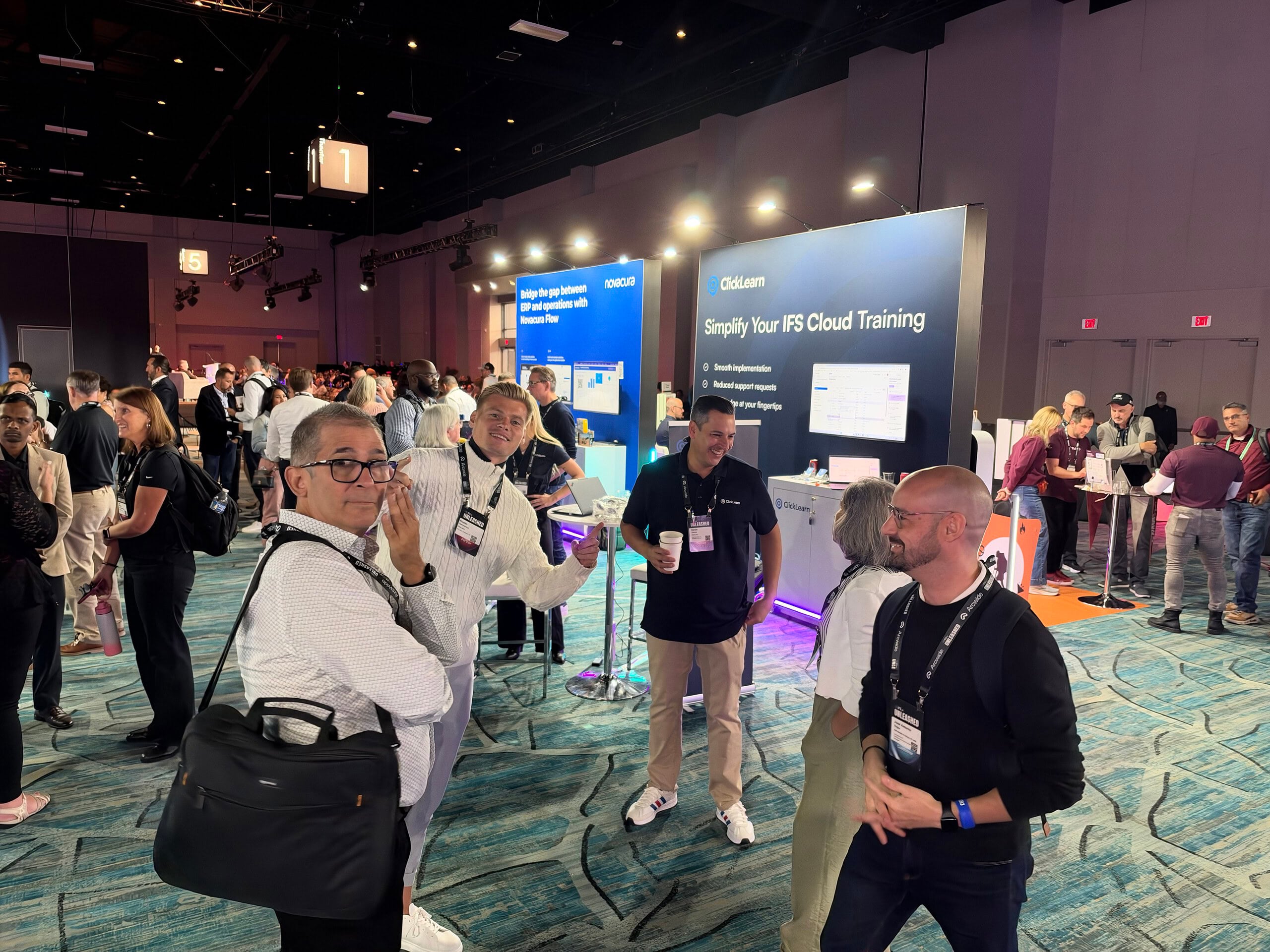
For us, the best part of IFS Unleashed 2026 had to be the people we met and the conversations we had! It was fantastic connecting with the IFS community in Orlando, catching up with familiar faces, meeting new customers and partners, and hearing firsthand about their experiences with IFS Cloud. A huge thank you to everyone who stopped by connecting with the ClickLearn team and made the event so memorable. Take a look at our favorite moments from IFS Unleashed 2026 below!
What a Successful IFS Cloud Rollout Looks Like
Implementing IFS Cloud is a major investment, with months of planning, configuration, testing, and preparation leading up to go-live. But a successful rollout goes beyond getting the system up and running. The work doesn’t stop after implementation. With every new IFS Cloud release, users need to understand what’s changed and adapt to workflows to use the latest functionality. To learn why keeping employees up to speed with new features is essential to maximizing your IFS Cloud ROI, read our blog, IFS Cloud 26R1: Gaining ROI by Adopting Early with ClickLearn.
The Smoothest IFS Rollout in 20 Years: Portsmouth Aviation
At IFS Unleashed 2026, we wanted to go beyond talking about the importance of user adoption and share real experiences from customers who have successfully navigated an IFS Cloud migration. Portsmouth Aviation offers a great example of what happens when employee readiness becomes a priority during an IFS Cloud migration. With so many processes to document, the team needed an efficient way to create training materials before go-live. By using ClickLearn, Portsmouth Aviation recorded its business processes and created more than 250 training guides. Portsmouth Aviation’s Managing Director described the experience as the company’s smoothest IFS rollout in 20 years. Read the full customer story: How Portsmouth Aviation Achieved a Smooth IFS Implementation.
Why User Adoption Drives IFS Cloud ROI?
Every IFS Cloud investment comes with expectations: improved productivity, streamlined processes, lower operational costs, and better use of available technology. Achieving those goals depends on employees’ adoption of the system. It’s integral to think about all the time spent searching for instructions, asking colleagues for help, or waiting for IT to resolve routine questions. Across hundreds of employees, those interruptions add up quickly.
A strong adoption strategy addresses these costs in three important ways.
1. Lower Support Costs and Improve Productivity
When employees have access to clear, up-to-date instructions, they spend less time searching for answers and relying on IT support. This reduces repetitive requests, helps new employees get up to speed faster, and gives experienced users the confidence to complete tasks independently.
2. Get More Value from IFS Cloud Features
IFS continues to introduce functionality designed to improve everyday business processes. However, new features only deliver value when employees understand and use them. Keeping employees informed about relevant updates helps companies improve feature adoption and get more from their existing IFS investment.
3. Reduce Documentation and Training Effort
Manually creating and maintaining training materials takes valuable time away from IT teams, trainers, and business experts. ClickLearn simplifies this process by recording workflows directly in IFS and generating training materials in multiple formats, reducing the effort required to create and update documentation.
The real test comes when someone faces a rejected request, an unfamiliar task, or a changed approval path. Can they work out what to do next? Build your IFS training strategy to answer that question. Start with agreed processes, give users realistic practice, and keep guidance within reach. With ClickLearn supporting content creation and maintenance, you spend more time checking whether that guidance helps your team complete the work.
Building a Successful IFS Cloud Rollout Strategy with ClickLearn
A successful IFS Cloud rollout requires more than a well-planned implementation. It starts with understanding how employees work, documenting critical business processes, and making sure every team has the training they need before go-live. Involving employees early, providing opportunities to practice new workflows, and making guidance easily accessible all contribute to a smoother transition. As Portsmouth Aviation demonstrated, preparing training materials ahead of time helps reduce confusion, maintain productivity, and prevent unnecessary support requests when the new system goes live.
With ClickLearn, companies make employee training part of their IFS Cloud rollout strategy from the beginning. By recording processes directly in IFS and automatically generating step-by-step guides, videos, and other training materials, teams spend less time creating documentation and more time preparing employees for change. And the strategy shouldn’t end at go-live. As IFS Cloud introduces new features and updates, keeping training materials current ensures employees continue following the right processes and taking advantage of new functionality. For more practical advice on avoiding common rollout challenges, read our blog, Why ERP Implementations Fail and How to Ensure Success
FAQ